How does Quarterzip work?
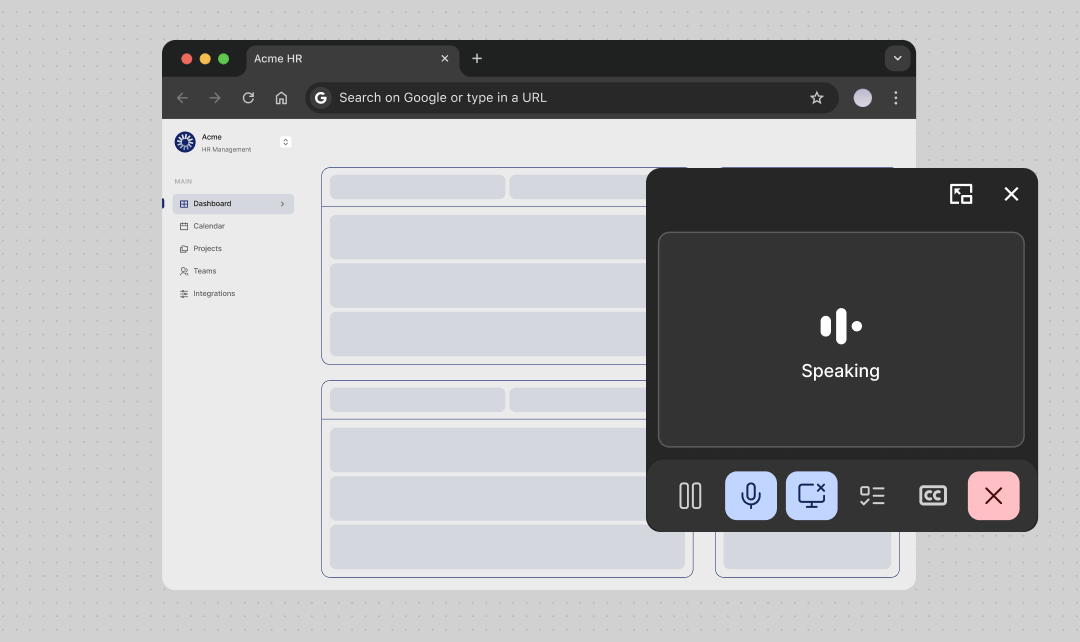
Quarterzip agents guide users through your product step by step. Users start a call with an agent, share their screen, and receive real-time guidance as they move through workflows. The agent can see what the user sees, answer questions, and talk them through each step. Because the agent has visual context, it can provide relevant, in-the-moment support instead of generic instructions. Quarterzip is designed to help without getting in the way. A picture-in-picture call window lets users manage the conversation while continuing to use your product or navigate third-party tools.How can the agent see the screen?
Quarterzip sees the user’s screen the same way a screen-share works in a video call. This gives the agent real-time visual context so it understands what the user is looking at and can provide relevant, step-by-step guidance. Users can start and stop screen sharing at any time. Quarterzip never captures screen content without an active share.Can agent’s guide users outside of my product?
Yes, Quarterzip agents can help users with tasks within and outside of your product; i.e. third-party sites and tools. This helps with use-cases that involving users leaving your product & completing steps in another, such as connecting or authorising cross-site integrations. The Quarterzip agent player can follow the user across sites, tabs, windows, & monitors.